
The General ledger gathers the accounting movements that originate in invoicing. You can review the chart of accounts, each account’s balance, and a trial balance that checks whether posted debits and credits agree.
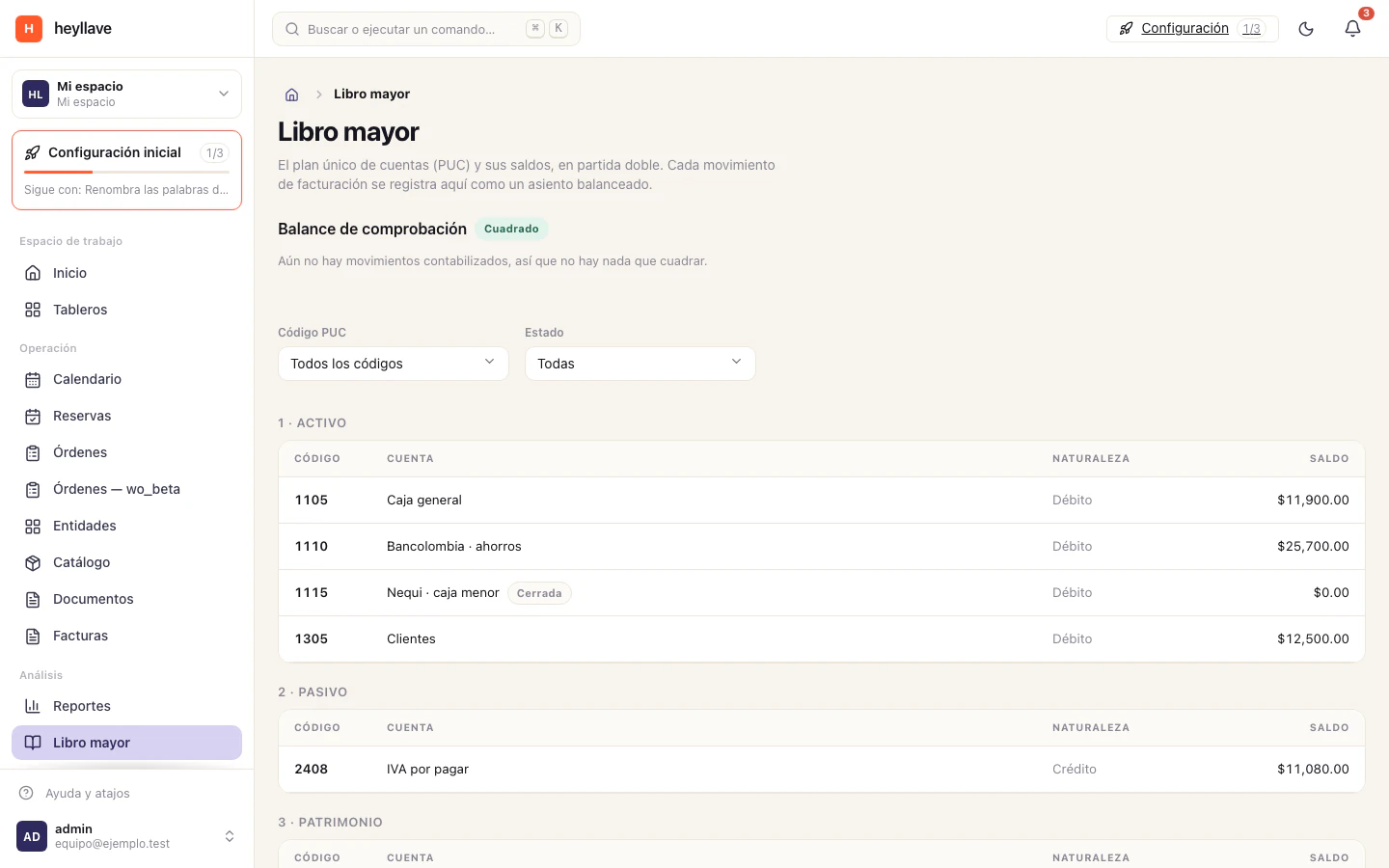
Check whether the balance agrees
- Open General ledger from the workspace menu.
- Review the total debits, total credits and the difference the trial balance shows.
- If debits and credits match, the balance shows as Balanced.
- If there are no movements, the panel says there is nothing to compare yet.
The trial balance covers posted movements. It does not replace review by an accountant and does not on its own determine whether a tax return or report is complete.
Find an account
Under Chart of accounts you can filter by account code or by status. Each account shows its code, name, nature and balance. Accounts are created when invoicing records the first movement that needs them; you do not have to add them by hand to get started.
Open an account to review posted debits and credits and, where they exist, reserved amounts. A reserved amount belongs to a two-phase entry that is not yet confirmed; do not add it in as though it were already posted.
Where do the movements come from?
Entries originate in invoicing movements such as invoices, payments, refunds and credit notes. The general ledger is for reading: the records are created in the module that performs the movement, so there is a single source of information.
For the full path, see Invoices and payments → and Receivables and payables →.
If you cannot see the ledger or an account
- If the menu does not show General ledger, ask an administrator to check whether your role has permission to read ledger accounts.
- If the ledger is empty, confirm that an invoicing movement has already been recorded.
- If reserved balances are not zero, review the pending entry in the flow that originated it.