
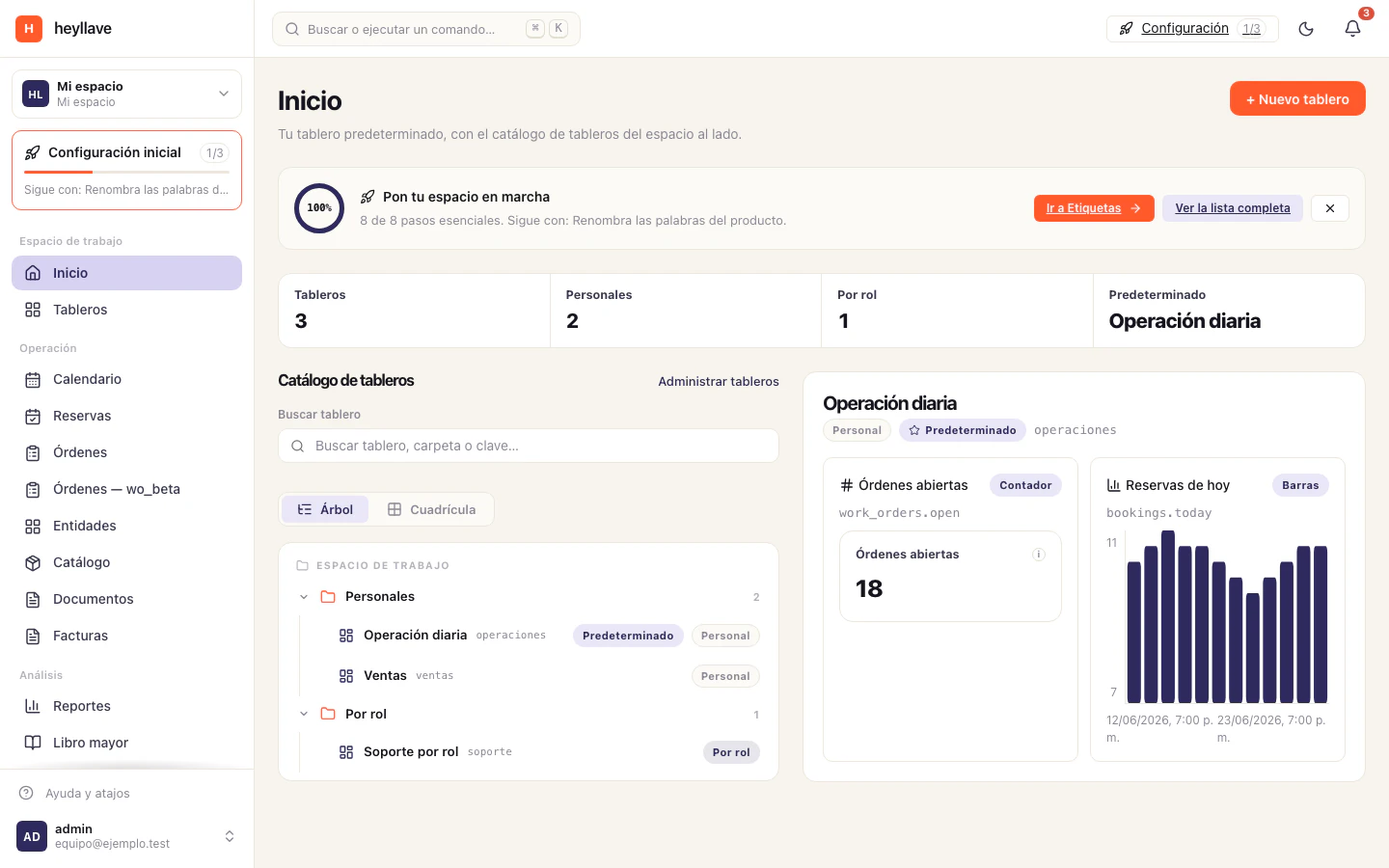
Heyllave is where your business’s operation lives: your customers, the work you do for them, what you charge them, and the messages you exchange. All in one place, with the full history of each thing.
It is built for service businesses — workshops, clinics, studios, practices, maintenance companies — where the working day looks like this:
- Someone asks for a service.
- You send an estimate and wait for their go-ahead.
- You schedule it, assign it to someone and carry it out.
- You invoice it and collect.
- It stays on record for the next time that customer comes back.
What Heyllave gives you
A place for the work
Work orders carry the whole flow: status, priority, owner, parts and labor lines, time worked, photos, checklist and signature.
A place for customers
Entities hold your customers, their equipment, their vehicles or whatever your business needs on file — with the fields you define, not the ones somebody else decided.
A place for the money
Quotes, invoices, payments, credit notes, receivables and payables, and a double-entry general ledger that builds itself.
A place to talk
Web chat and WhatsApp in one thread, automatic notices per event, and a portal where your customer sees their order without calling to ask.
How it is organized
Three ideas are worth understanding from the start, because they explain almost everything else.
1. The workspace
Your business is a workspace. It has its own name, its own subdomain
(your-business.heyllave.app), its own team and its own data. Nothing that
happens inside mixes with another workspace.
You can belong to several workspaces with the same email — for instance if you advise two businesses — and switch between them from the sidebar selector.
2. Modules
The product is not a single block: it is a set of modules that are switched on according to what your business does.
- Some are foundation and always active: users, members, roles, entities, documents, calendar, bookings, dashboards, search and notifications.
- Others are enabled when you need them: work orders, invoicing, catalog, conversations, AI agents and reporting.
That is why two Heyllave workspaces can look very different. It is also why this help documents sections you may not have enabled.
3. Roles
What each person can see and do is decided by their role. A mechanic sees their orders; an administrator sees invoicing and can invite people; someone on reception may only schedule bookings.
If a section says you do not have access, check the permission it asks for and share it with the person who administers the workspace. Check the module and its configuration too, before widening a role.
More about roles and permissions →
Where it is used
| Where | What for |
|---|---|
Web (your-business.heyllave.app) | The complete surface. Everything this help documents. |
| Desktop | Check the available installers on Downloads and the options your system offers. |
| Mobile | A surface for checking and messaging: dashboards, entity records, the catalog with its stock movements, the general ledger, notices, WhatsApp conversations and templates, search, and workspace settings. Creating and following work orders or bookings happens on the web. |
| Customer portal | A separate view, built for your customers: their orders, their payments, their documents. |
| Public site | Your shop window: pages, catalog, forms and orders. |
What Heyllave does not do
It is worth being clear, so you do not build your operation on the wrong expectation:
- Electronic tax issuance depends on your configuration and your business’s integration. Check your fiscal identity, your numbering and the issuance result where it applies. Creating an internal invoice does not by itself confirm fiscal acceptance. Review fiscal identity and numbering.
- It does not process card payments by itself. You record the payment you received (cash, transfer, Nequi, PSE, Daviplata, card) and Heyllave keeps the balance. Online collection on the public site depends on the payment provider you connect.
- It is not a complete accounting ERP. The general ledger records in double entry what passes through invoicing, but it does not replace your accountant.
If something doesn’t work
If a section of this help does not exist in your workspace, it is almost always one of three things: the module is off, your role does not include the permission, or the feature lives on another surface — the mobile app, for instance, does not include work orders or bookings. Check modules and roles and permissions before concluding your data is missing.
Next step
If you have just been invited, start with your first sign-in. If you are setting up the business workspace from scratch, go straight to the getting started checklist.